Monday, January 1, 2018

3 steps to do MB SCN Coding Online easily by Autel MS908P

This blog will show you how to do Mercedes SCN coding in 3 steps by Autel MaxiSys Pro MS908P. As you know, Benz SCN Coding Service will charge about $150 one time, but with Maxisys MS908P you can do it at your fingertips!
13-1
Why we need to do SCN coding?
When replacing or flashing ME control unit or new Transmission control unit we must get new SCN, that is to say SCN coding.
How use Autel MS908P to do MB SCN coding in 3 steps?
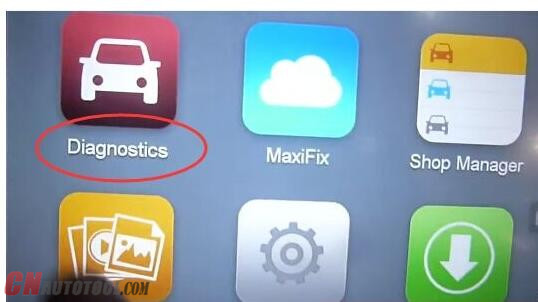
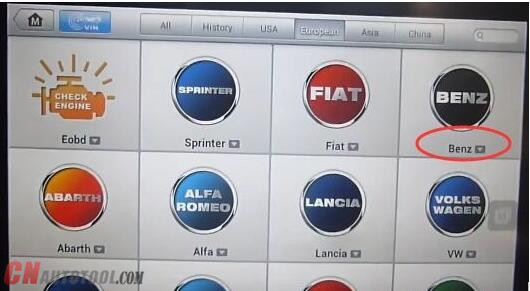
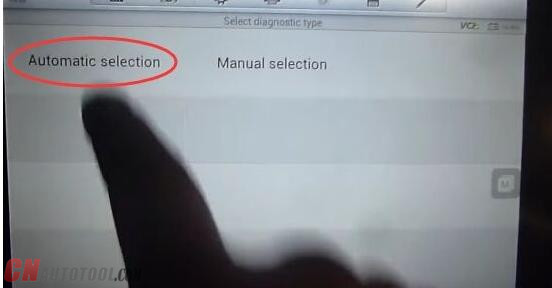
Step1. You should first connect Autel MS908P to J2534 ECU programming device and Benz car. Next start Autel Scanner Autel MS908P and choose “Diagnostics”→ “Benz”→ “Automatic selection”
13-2
13-3
13-4
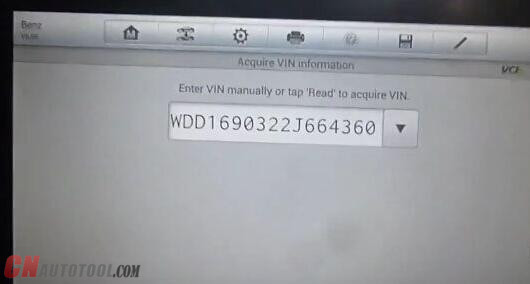
Then turn on ignition and wait a minute to read VIN. After read click “OK”.
13-5
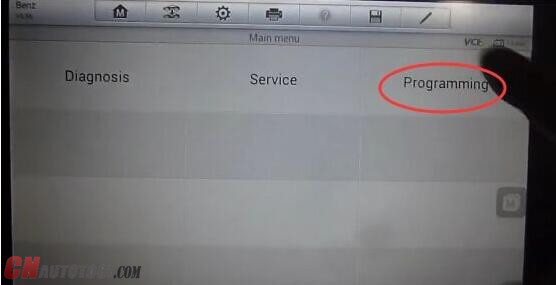
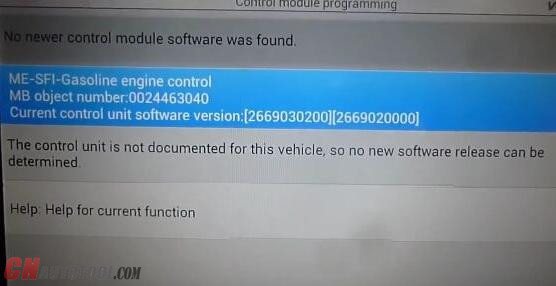
Step2. Click “Programming” on main menu, next click “ME-SFI-Gasoline engine control”.
13-6
13-7
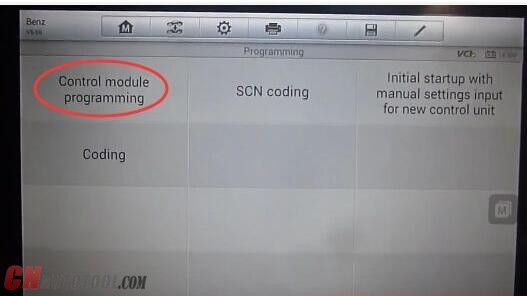
Click “Control module programming”→ “NEXT”→ “OK”→ “OK”.
13-8 13-9
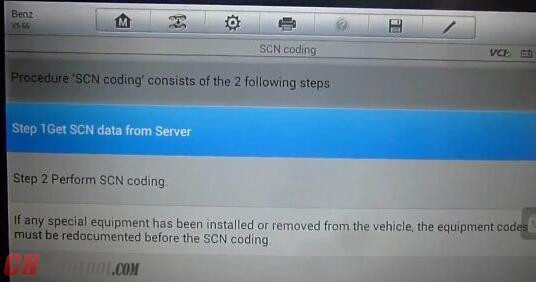
Step3. Click “SCN coding”, you can see two steps.
13-10
13-11
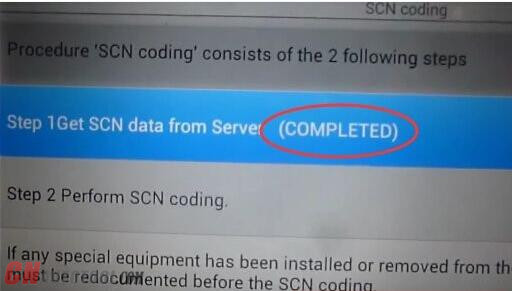
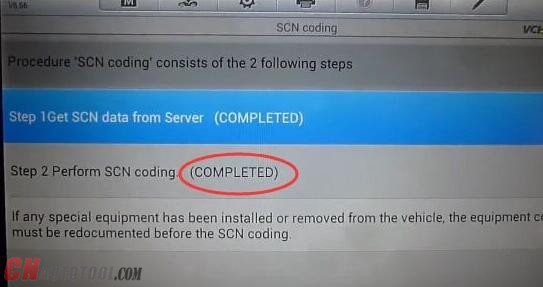
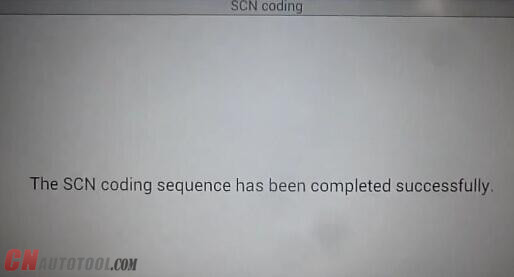
Click “Step1”, soon you will see “Get SCN data from sever completed”. Then click “Step2”, wait a minute and you will see “Perform SCN coding completed”. Now you successfully use Autel MaxiSYS MS908 Pro to do Benz SCN coding in just 3 steps!
13-12 13-13 13-14
Of course,  Maxisys Pro MS908P Pro from CnAutotool not only can do SCN coding but also has many other functions like diagnostics, ECU coding and flash programming, J2534 Reprogramming, etc. It covers more than 40 US, Asian and European vehicle makes till 2017.

Sunday, December 24, 2017

Free Download GDS2 v17 – GM Global 2017.7.1 – MDI 8.3.103.39


Free Download GDS2 v17 – GM Global 2017.7.1 – MDI 8.3.103.39
17 Dec
5:41
Hi everyone. Free download 2017 GDS2 v17.0.08000 – GM Global 2017.7.1 – MDI 8.3.103.39 GM diagnostic software for laptop to have GM diagnostic, coding, programming:
https://mega.nz/#!LZolSKyB!4iL-8MfCZwekmAZcqcftZ5i66uPoMIHoL2nafRdGxDI
Password: MHHAUTO_GDS_07_2017
It’s customer share: (big thanks documentacao.eng)
”I’m here to share a VM that I have success to update and it’s working fine
(tested with a china clone)”
What is GM GDS2:
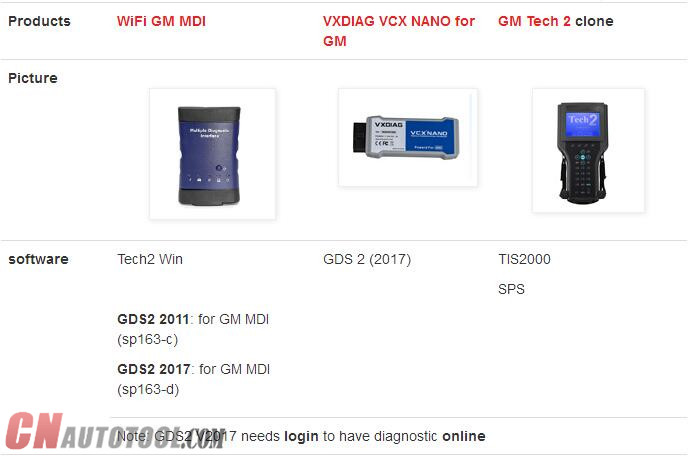
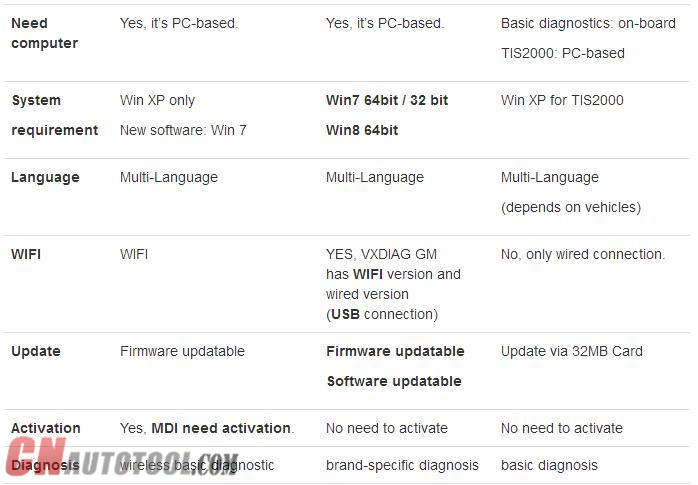
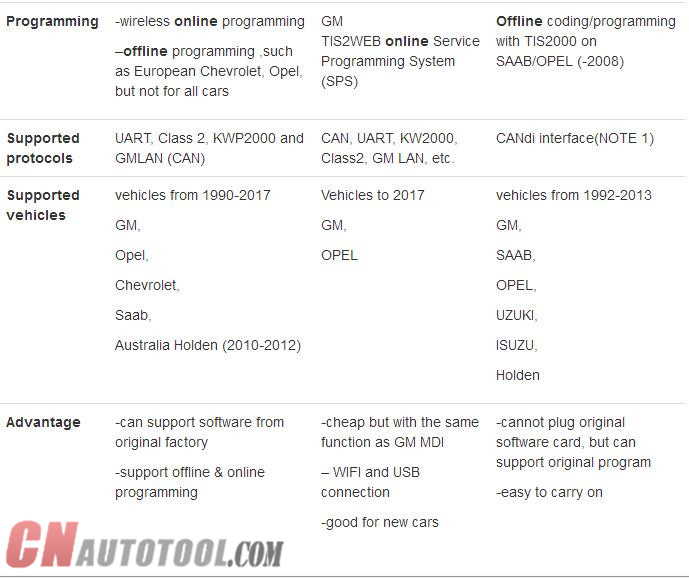
The GM Global Diagnostic System 2 (GDS2), a PC-based software application, is designed to diagnose and repair on-board automotive electronic systems. The software application is used with a personal computer and a GM MDI  multiple diagnostic interface (or J2534-2 equivalent)
What is GM MDI:
The Multiple Diagnostic Interface (MDI), provides full dealer level diagnostics and programming for all Vauxhall /Opel 16 pin vehicles from 1996 to 2017.
What is GM Global:
GM Global incl. GM diagnostic software download, Service Programming System (SPS), Security Access (Security), Snapshot (Snap), Tech2 View (T2 View), Techline Print (TL Print), Global Diagnostic System (GDS2), PRO Code Display (RPO)…ONLY WORK WITH GM MDI with Item NO. SP163-C!!!
gm-global
GM MDI installation tips: (big thanks to SCOTT)
“Always make sure any downloaded files are unblocked
RIGHT CLICK DOWNLOADED FILES AND CLICK PROPERTY’S , Click unblock button if there, if not click cancel button.
Disable UAC and Disable firewall and reboot .
uninstall mdi manger from control panel, reboot, reinstall mdi manager , start mdi manger make sure correct firmware, close mdi manager or update firmware or do a recovery accordingly, Now leave mdi connected with 12v supply and reinstall tech2win, right click tech2win shortcut and click button -> open file location, find emulator.exe ,right click and select option to run as administrator.
close all. now replace quickstart.bin with now one.
now run program from desktop.”
CnAutotool.com disclaimer:
software above tested by the DIY user only. Professionals haven’t tested it yet. You need luck with it coz there might be some unknown risk
Tested GM diagnostic software… here you go.
Tech2 32MB PCMCIA card software download:
http://www.cnautotool.com/goods-150-Best+Quality+GM+Tech2+GM+Scanner-CANdi++TIS.html
SAAB TIS2000 software download: (with USB Key)
http://www.cnautotool.com/goods-1568-GM+Tech2+GM+Scanner+-CANdi++TIS.html
GM MDI V8.3.103.39 GDS2 Windows 7 software for Vauxhall Opel/Buick and Chevrolet:
http://www.cnautotool.com/goods-6651-GM+MDI+GM+Scan+tool+Plus+Lenovo+E49AL+Laptop+Full+Set+Ready+To+Use+High+Quality.html
You can use tested versions with relief…
All tested to work good with GM Scan tool here:
1-1 1-2 1-4
http://obdtools.egloos.com/2028435

Saturday, December 16, 2017

Mercedes Benz MB STAR C4/C5 SD connect Software Updated


Mercedes Benz MB STAR C4/C5 SD connect Software Updated
16 Dec
1:18
Mercedes Benz MB STAR C4/C5 SD connect software updated to 2017.12 
C4/C5 Mercedes Benz MB STAR diagnostic tool is the best tool for mercedes benz recently , it can do diagnostic and support programming function .
It also support multi-language that most country can use the machine without language problem .
The languages supported : Deutsch, English, Französisch, Italienisch, Spanien, Portugal, Finnland, Dänemark, Schweden and so on. More languages you can see as following picture :

Details for the software of MB STAR C4/C5 as bellow :
1. DAS 2017.12: the automatically Diagnosis Assistance System
2. Xentry 2017.12: New software released by Bennz Company after 04/2009 by diagnosis new cars.
3. WIS net 2017.04:Workshop Information System
Supply the whole view of the wiring diagram in a car, component location diagram and maintenance method. What you do is to enter the chassis number, and then you will get the manufacture data, engine configuration and the car model -all in detail.
4. EPC.net 2017.04:Electronic Parts Catalog
5. ST Finder:Part Location Finder options: 2008 and 2016
6. STARUTILITIES :the movement management system and self-test
7. SD MEDIA 2014
8. PL71: 2016 Mercedes software with PL70
9.Engineer Software:DTS monaco V8.03 And Vediamo V5.01.00 Support Offline Programming
10.HHT Software for old cars

This article is published by CnAutotool.com

http://anna19.bloguez.com/Anna19/6097216/2017-Newest-version-for-mb-star-c5-with-Super-Engineering-Software-DTS-monaco-And-Vediamo